
Receipts
Physical or digital. Never lose track of checkout activity.
| Records
HISTORY
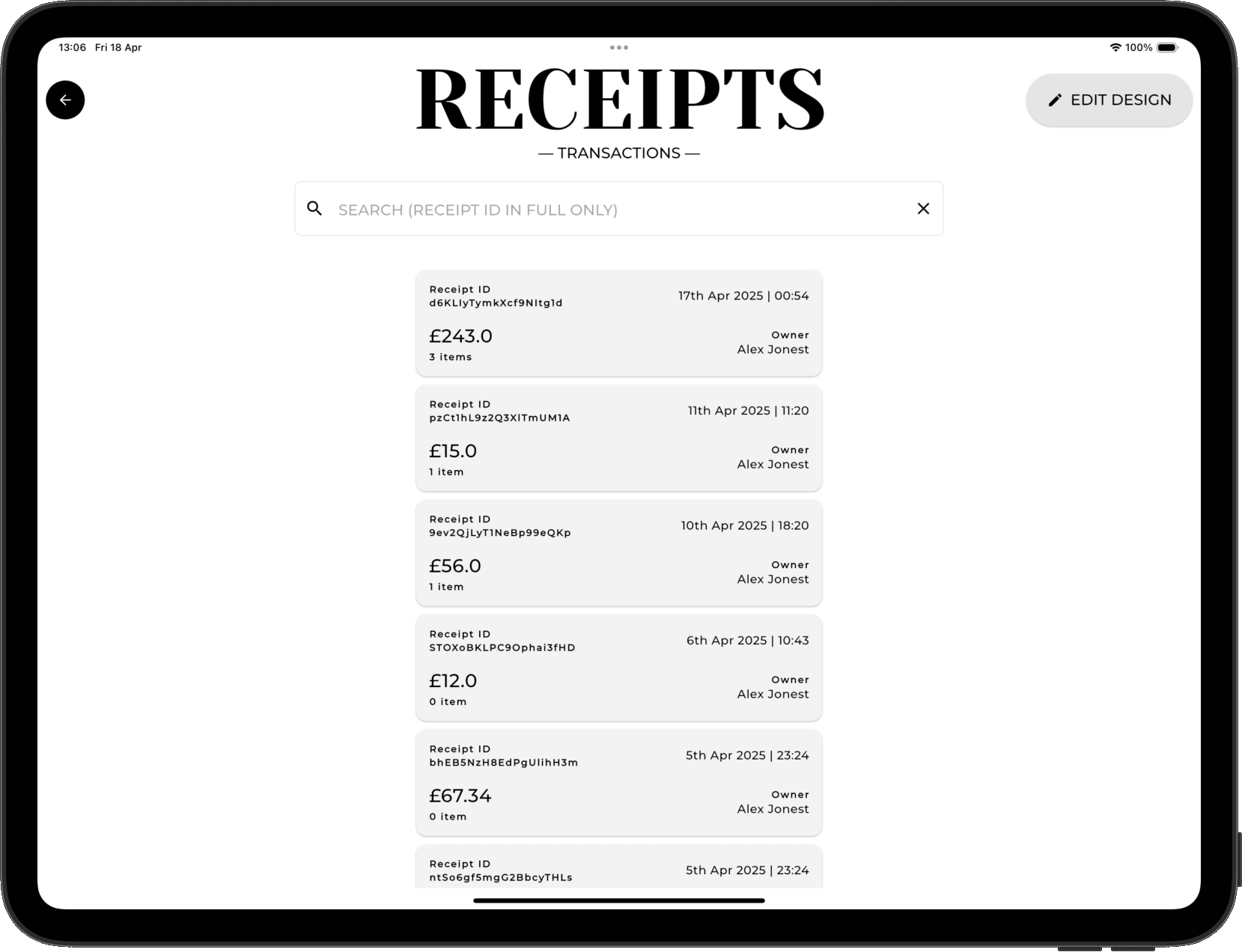
Found in 'More' > 'Receipts' you can see a chronological order of receipts. Selecting any receipt brings up the complete details as well as a list of the included sale items.
| Only what you want
DESIGN
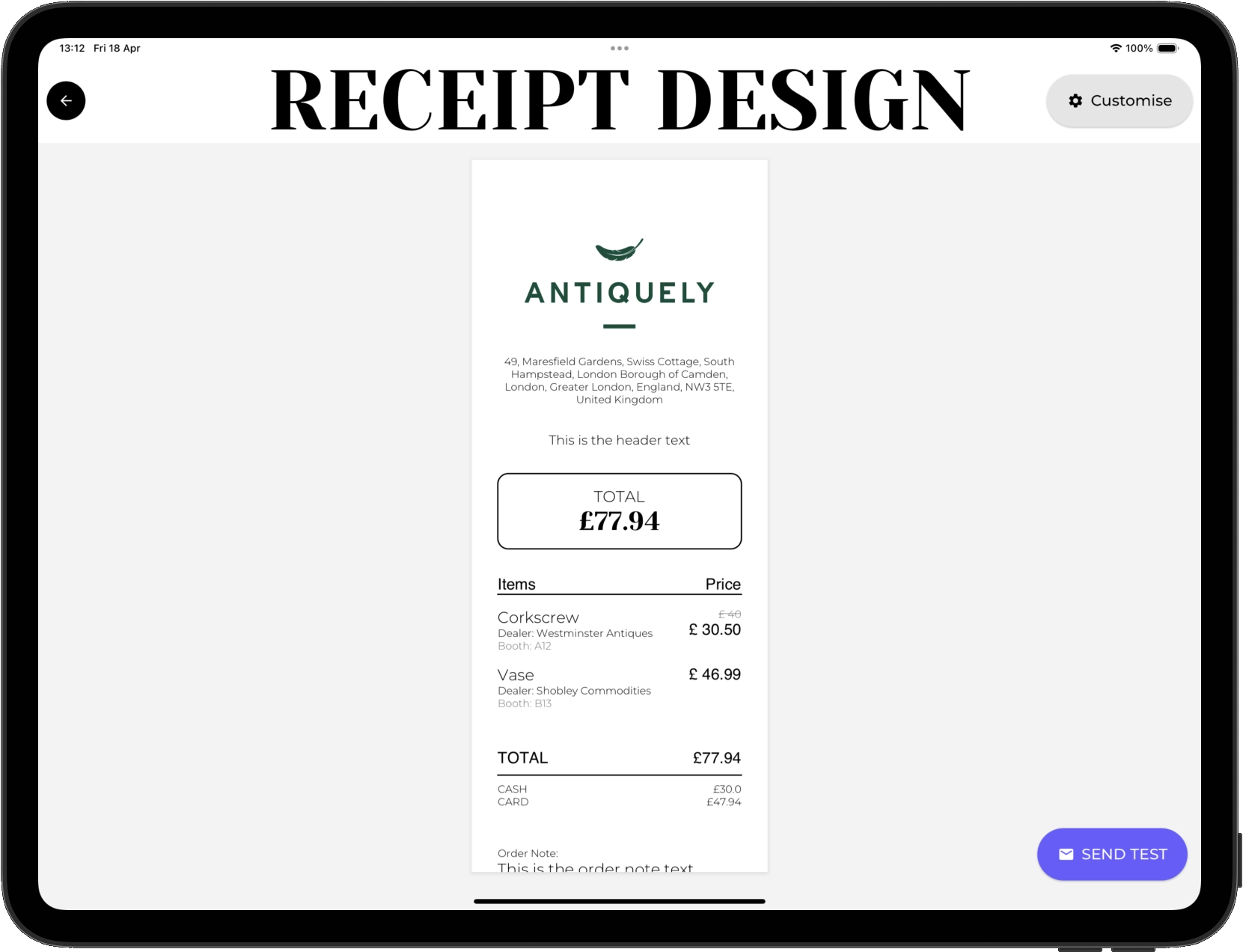
Before sending or printing a receipt, brand it to your store. Add your logo and what information should be included on it. This can be edited any from 'More' > 'Receipts' > 'Edit Design'.
| Customers
SEND & PRINT
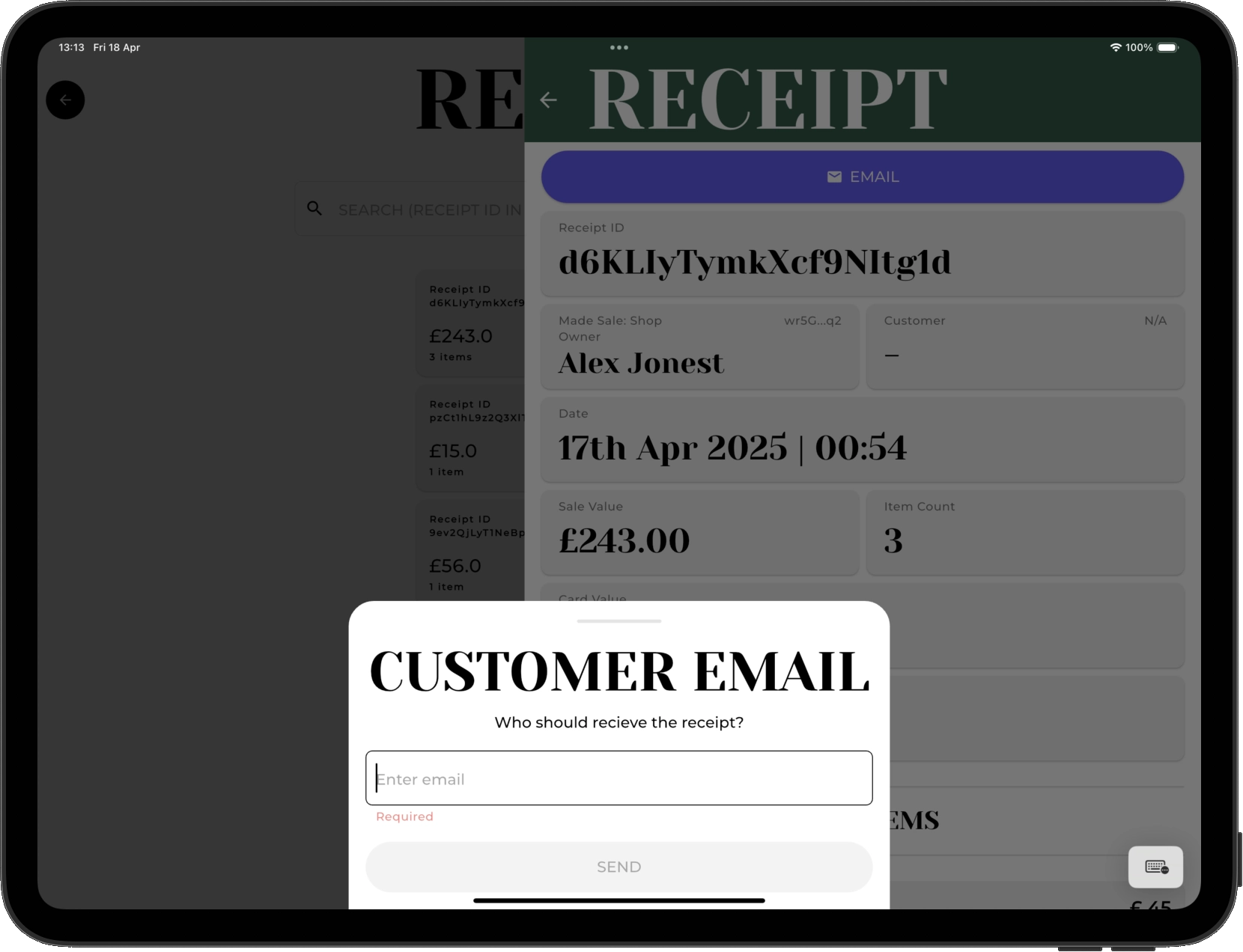
A receipt can be emailed or printed at any time when viewing the desired receipt. Maybe you want to send an old receipt to a customer, just input their email address and it'll appear immediately in their inbox.
| Make changes
EDIT
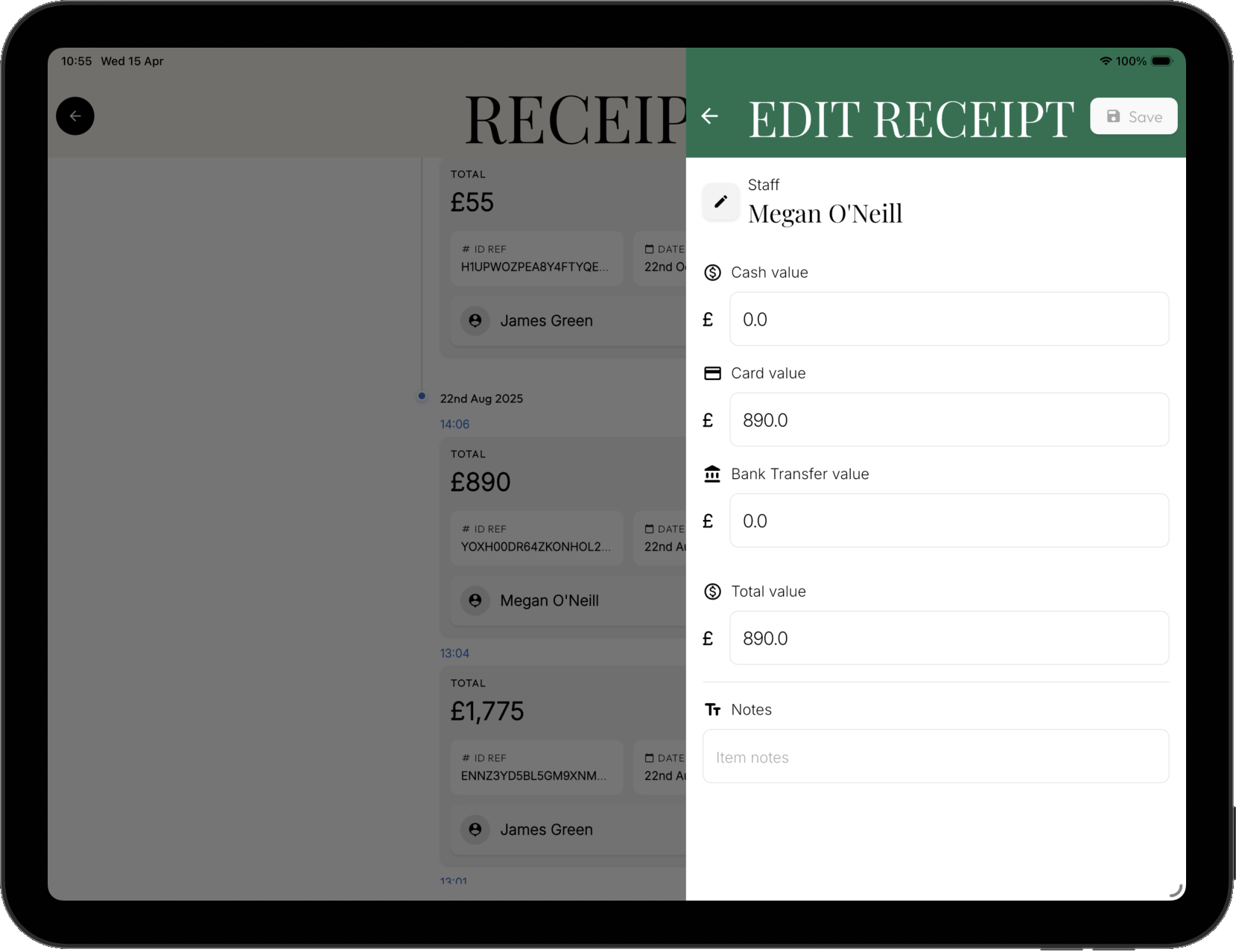
Change payment type values.
Whilst unlikely to be necessary, we always aim to give you total control of your data.
Changing a receipts payment values will impact the store commissions for the sale, recalculating the store commissions again for each sale item, based on the % split of the payment methods.
All changes are added to the change log for the receipt so you can track any edits over time.
Receipts missing something?
If you want to include anything else on a receipt get in touch and we'll happily find a solution!
info@antique-ly.com