
Manage Subscription
You're always in control
| Step 1
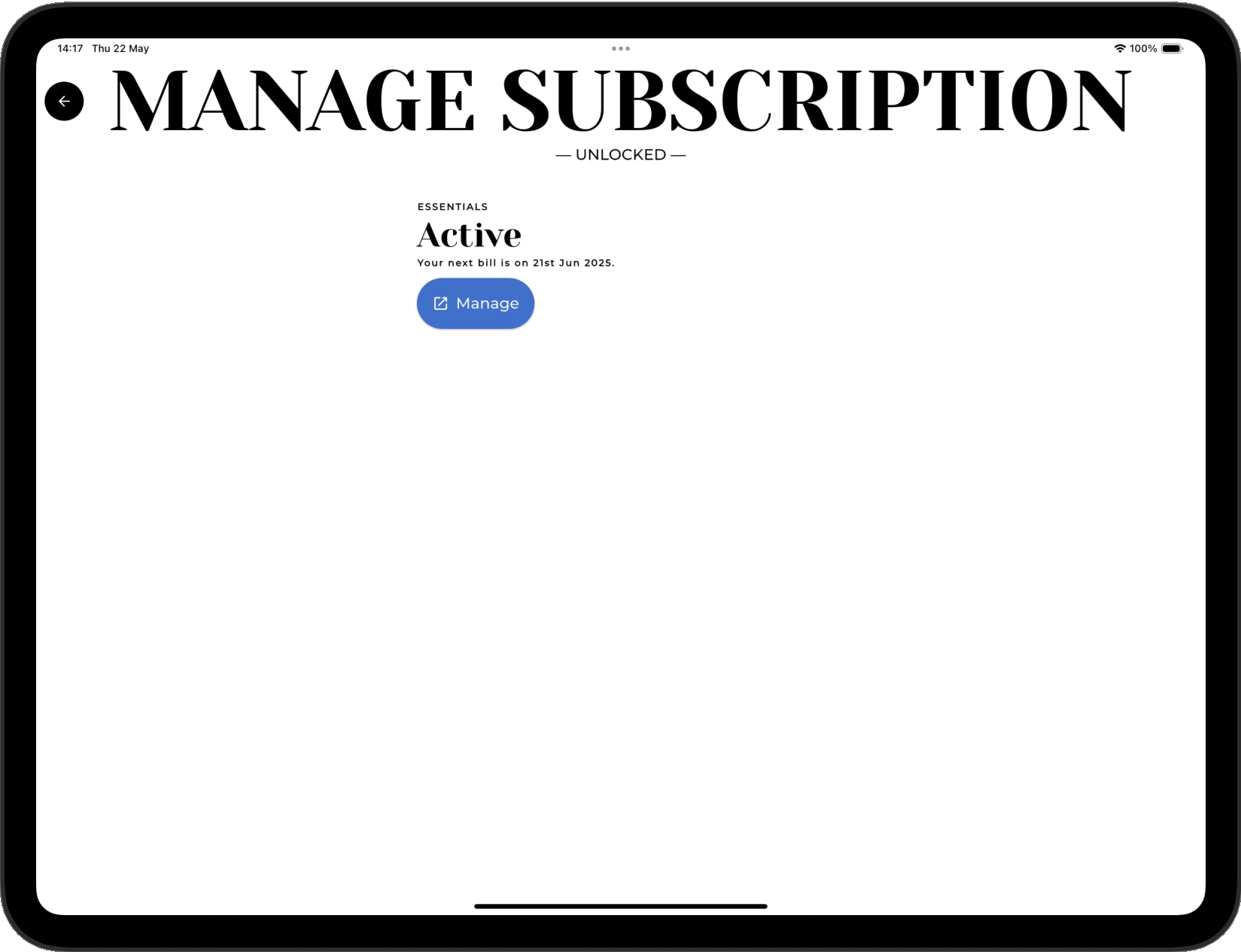
MANAGE ACTIVE
In app, navigate to the manage subscription screen. Here you can click to open up the Stripe subscription portal.
Antiquely is partnered with Stripe to enable secure, simple subscription management.
| Step 2
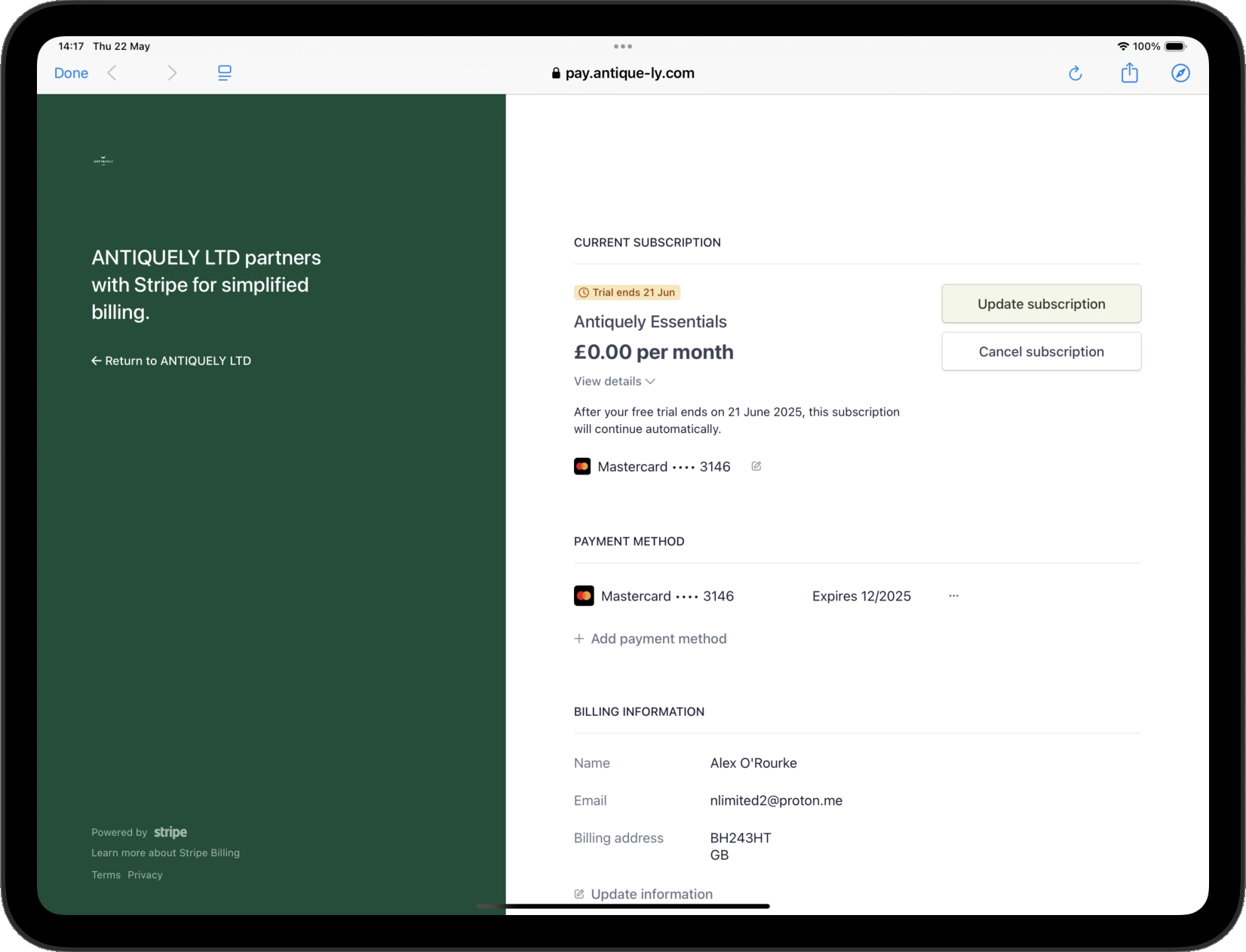
STRIPE PORTAL
View your active subscription information and payment details.
| Step 3
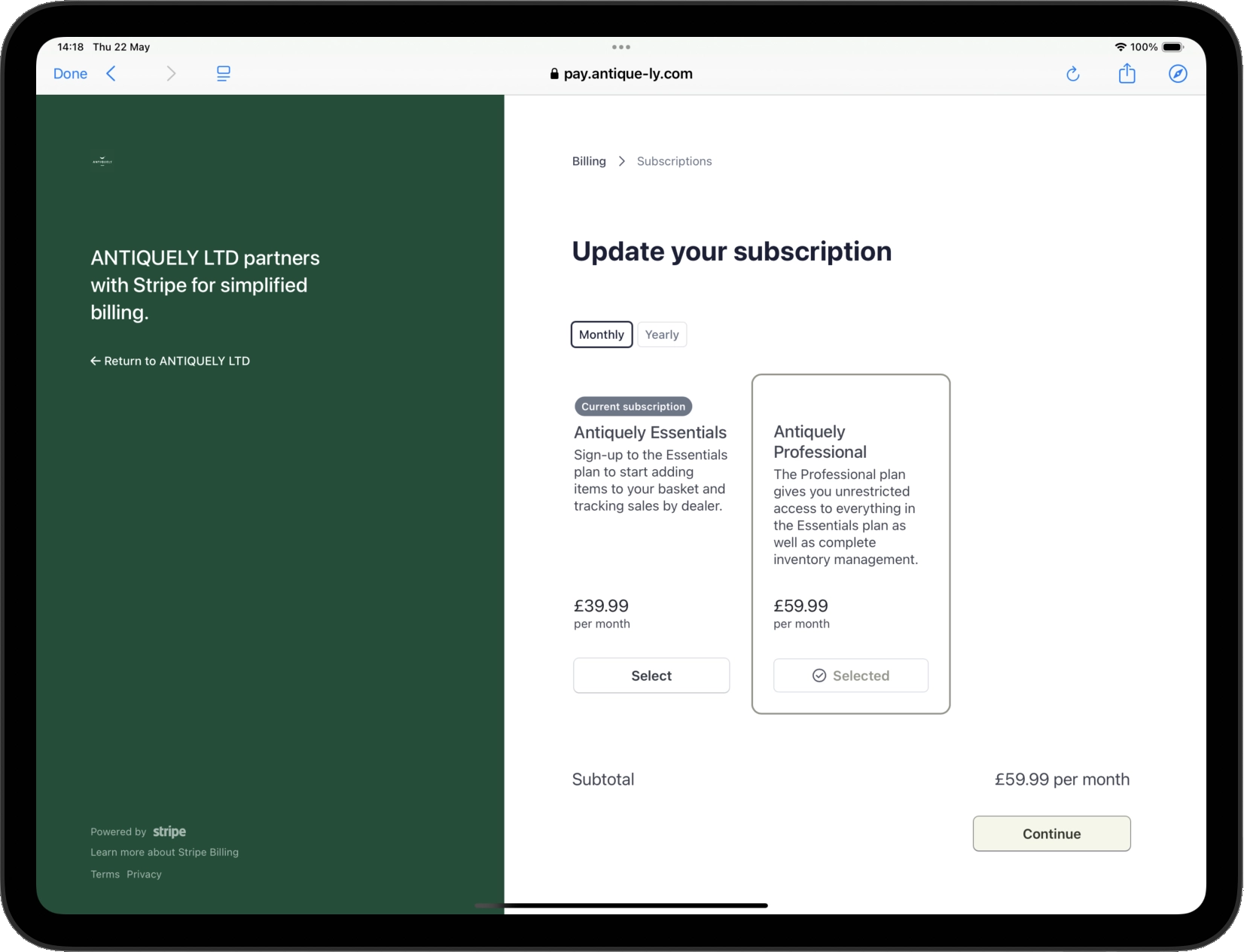
UPDATE
From the portal you can upgrade or downgrade your subscription and change payment details. Any changes will be immediately reflected in your app.
Unsure how to update?
Don't hesitate to contact us and get any questions you may have answered. We are always here to help.
info@antique-ly.com